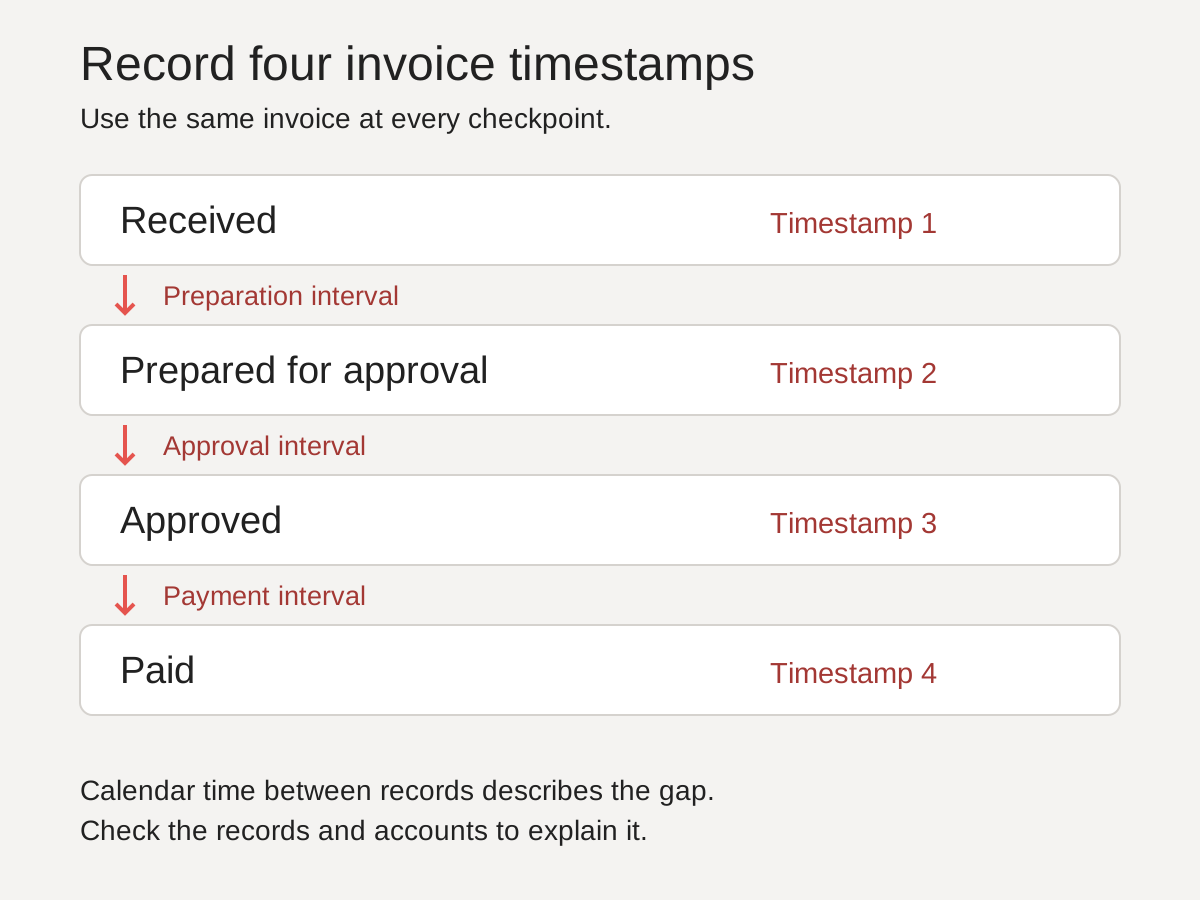
Record received, ready-for-approval, approved, paid and due dates for a small set of late and on-time invoices. Compare calendar days in each stage. A difference tells you where to investigate; records and conversations are still needed to establish the cause.
Where can an invoice wait?
Between arriving and being paid, an invoice passes through three stages, marked by four dates. A delay in any of them looks the same from outside: the supplier is chasing and the invoice is "with approvals". The dates tell them apart.
| Stage | Starts | Ends | Possible explanations to check |
|---|---|---|---|
| Getting ready | Invoice arrives | Coded, matched, nothing missing | It went to the wrong inbox, or a purchase order, goods receipt or coding decision is missing |
| Approval | Ready | Approved | Approvers are unavailable, unclear or overloaded |
| Payment | Approved | Paid | Check payment-run timing, cash constraints and unresolved payment exceptions |
Only the middle stage is an approval delay. We recommend changing nothing about approvers, approval limits or software until the dates show the wait is in approval. Check the earlier wait before deciding whether a faster approval step would materially change payment timing.
How to find the stage that holds the time
- Pick about 20 recent invoices. Roughly half paid late, half paid on time. Without on-time invoices you cannot tell what is unusual.
- Record four dates for each: received, ready for approval, approved and paid. Add the due date.
- Work out the days in each stage. Ready minus received, approved minus ready, paid minus approved.
- Compare the two groups stage by stage. Use the median, not the average, so one extreme invoice does not decide the answer.
- Look at the stage where the groups differ. That is where to look first, whatever the process map says.
- Ask the people who handled the delayed ones what happened. The dates show where the time went. Their accounts suggest explanations to check against the records.
You can do steps 3 and 4 on this page with the stage finder below, or offline with the free invoice timeline worksheet. Neither needs a sign-up.
A worked example
Illustrative data. It describes no real company or supplier.
A finance team is told invoices are slow because approvers sit on them. It takes ten July invoices on 30-day terms, five paid late and five on time, and records the dates.
| Group | Getting ready | Approval | Payment | Total |
|---|---|---|---|---|
| Paid late (5) | 10 | 2 | 20 | 34 |
| Paid on time (5) | 1 | 2 | 20 | 23 |
Approval took two days in both groups. The overdue ones lost their time before anyone could approve them: a median of ten days getting ready, against one. The notes on those five suggest explanations to check: no purchase order number, a coding query to a budget holder, hours that did not match a timesheet, an invoice sent to a former employee's inbox and a goods receipt nobody recorded.
What this shows: in this sample the largest difference is before invoices are ready. Equal approval medians do not rule out approval problems on individual invoices. What it does not show: how often this happens across all invoices, which of the five reasons matters most, or what fixing them is worth. You should use ten invoices to decide where to look. Size the problem with more.
That is ten invoices on paper. Here is the same check on yours.
Find where your invoices wait
Enter the Received, Ready for approval, Approved, Paid and due dates for a few late and a few on-time invoices, and the page shows which stage holds the time. The calculator needs JavaScript. The free invoice timeline worksheet does the same offline.
Find the interval worth investigating
A 48-second silent walkthrough using synthetic examples. Captions are included in the picture; the full explanation follows below.
Download the video (MP4) · Download captions (VTT)
Walkthrough transcript
Silent walkthrough. All examples are synthetic.
Do not choose an automation tool yet. First compare the same checkpoints on late and on-time invoices.
Use the received, ready, approved and paid dates for the same invoice. Missing dates stay missing; do not guess them.
This invoice spans 33 calendar days. These intervals include waiting and other elapsed time; they do not measure active work.
In this synthetic sample, preparation differs. Approval and payment medians are the same. This points to a question, not a proven cause.
Check the original records and the people handling those cases. A missing purchase order is one possible explanation to investigate.
Choose a cohort before interpreting it. Keep limitations visible, then take the specific question to the next investigation.
Where is the delay actually happening?
Take a few invoices, some late and some on time, and put the dates side by side: when each arrived, when it could be approved, when it was approved and when it was paid.
Your starting question: Where do invoices wait, and what explains the wait?
Start by checking
- Whether the dates you have can separate the wait before approval from the wait after it.
- Which stage holds the time in the invoices you picked.
- Whether the late invoices share something the timely ones lack, such as missing information or an unclear owner.
Evidence to gather
- Dated records for comparable cases.
- Definitions of the timestamps.
- Accounts from the people handling exceptions.
Not established yet
- The cause of the delay.
- How often it happens across all invoices.
- The likely value of a change.
What each pattern suggests checking
| If overdue invoices differ in | Possible explanations | Check next |
|---|---|---|
| Getting ready | Wrong or shared inbox; missing purchase order or goods receipt; coding questions; price or quantity mismatches | What was missing on each late invoice, where it was sent, and who was asked for it |
| Approval | Approver absent; unclear who approves; approval limits too low | Who approved the late ones, and how long each sat with them |
| Payment | Weekly or monthly payment runs; cash held back deliberately | Whether they missed a run by a day or two |
| No stage stands out | The whole cycle is slow, or your terms are shorter than your process | Compare the total with the terms before changing any single step |
Mistakes that hide the real delay
- Measuring one average for the whole cycle. It tells you invoices are slow, never where.
- Using the payment date as the approval date. Payment runs add days the approver never had.
- Looking only at the problem invoices. Without on-time ones there is nothing to compare against.
- Trusting a system timestamp you have not checked. "Created" can mean when the invoice arrived or when someone got round to typing it in. Ask what each date records before you rely on it.
How to calculate invoice processing time by stage
With received, ready, approved and paid dates in columns C to F:
| Measure | Calendar days |
|---|---|
| Getting ready | =D2-C2 |
| Approval | =E2-D2 |
| Payment | =F2-E2 |
| Total | =F2-C2 |
Then take the median of each column for the late group and the on-time group separately.
Choose the cohort before interpreting the numbers
A deliberately half-late, half-on-time teaching sample helps contrast cases. It cannot estimate the business's late-payment rate, typical cycle time or p90. For operational reporting, define a complete received-invoice cohort for a stated period, or document a defensible sampling method. Include disputes and incomplete cases as explicit categories rather than quietly dropping them.
Use the earliest verifiable receipt date, the point when the evidence needed for approval is complete, the recorded approval decision and the actual payment date. Check what each system timestamp means. Missing dates stay blank; a reversed date needs correction, not a negative duration. An unpaid invoice is incomplete, not a zero-day payment.
The worksheet measures elapsed calendar days, including weekends. For working-day measures, agree the workweek, holiday calendar and treatment of start and end dates first. Test weekend receipts, holidays and same-day completion before using the result. Do not compare it with a supplier benchmark that uses different boundaries. Add stage durations for each invoice before summarising total time: the sum of stage medians is not generally the median end-to-end time.
A longer ready-to-approved interval does not establish that an approver is slow. Check matching exceptions, holds, delegation records and the time at which the invoice actually became actionable. Keep each explanation open until its supporting records agree.
For the change you choose, use a requirements traceability matrix to connect each requirement to the evidence that will show it has been met.